01 · Property · Property editor and catalogue
Apartment Furniture
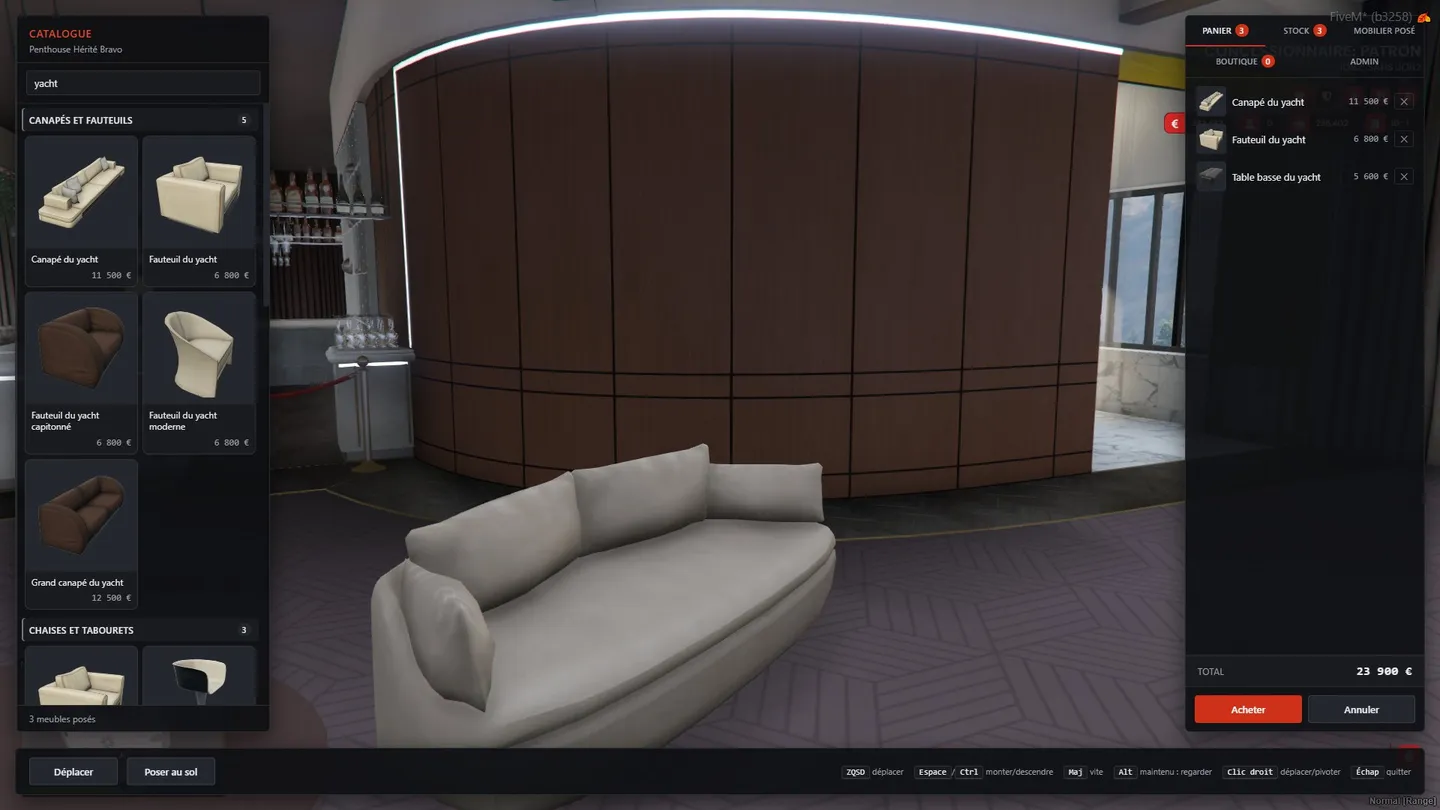
Tenants and anyone holding a door key can furnish a property. Furniture is bought from a catalogue into the property's stock, then placed one piece at a time with an in-game editor. Since the first version the catalogue has moved into the database: staff run it from an admin tab, pieces can also be priced in coins, and it's now a grid of pictures shot in game. Built on top of the real estate module.
- 244 models in the catalogue
- 13 categories
- 240 models photographed in game as transparent cut-outs
How it works
Start to finish
-
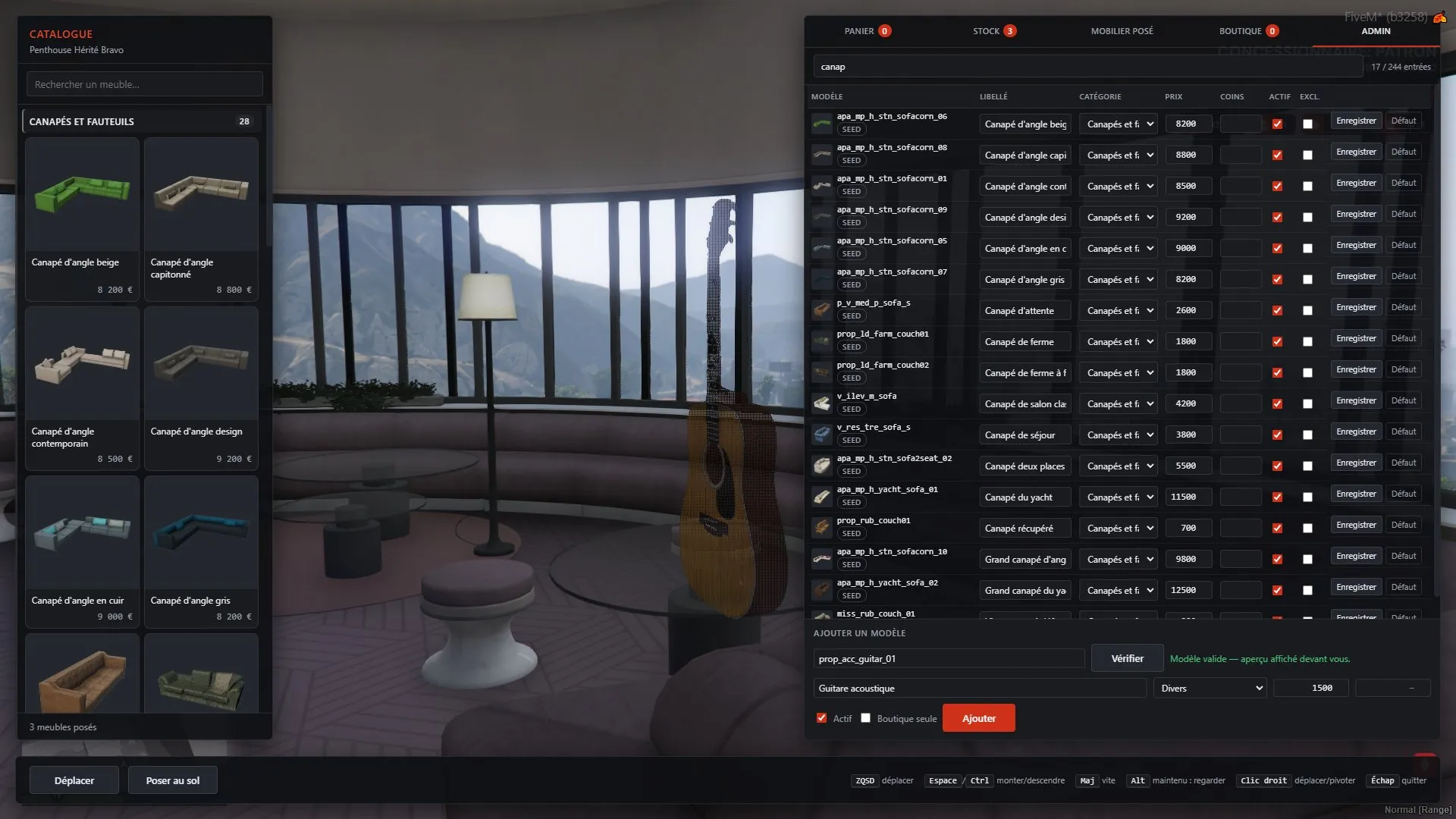
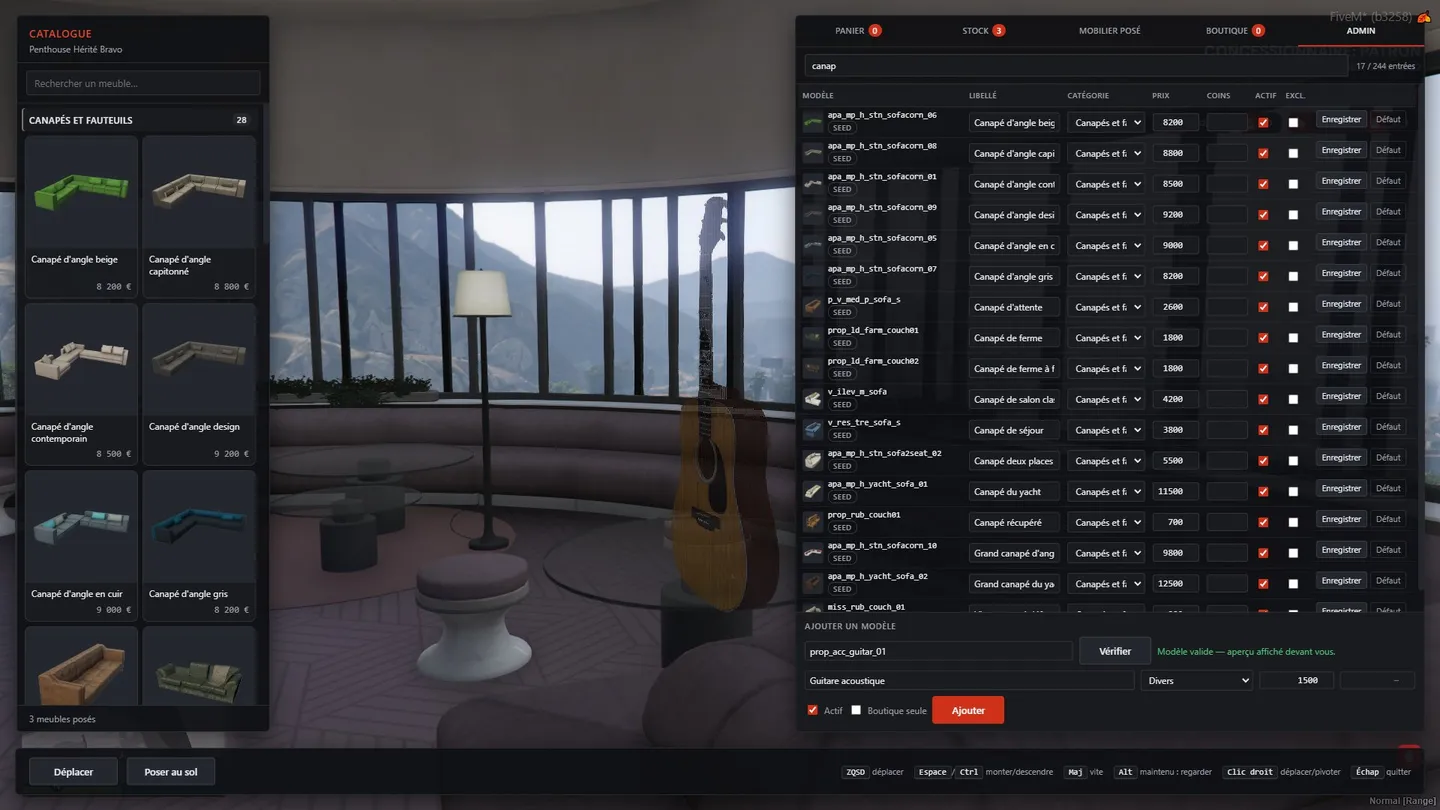
The admin tab: every catalogue entry editable in game, and a new model checked and previewed in 3D before it can be added 3 / 6 01 — The catalogue
In the database, run from an admin tab
- 244 models in 13 categories, seeded from the config on first start. Staff edit label, category, cash and coin price and on/off from an Admin tab in game, with no restart, and editors that are already open update straight away.
- New models can be added from that tab: the Add button stays locked until the game confirms the model exists and loads it as a 3D preview, then the server checks the staff group, the price limits and the anticheat's ban list before inserting it.
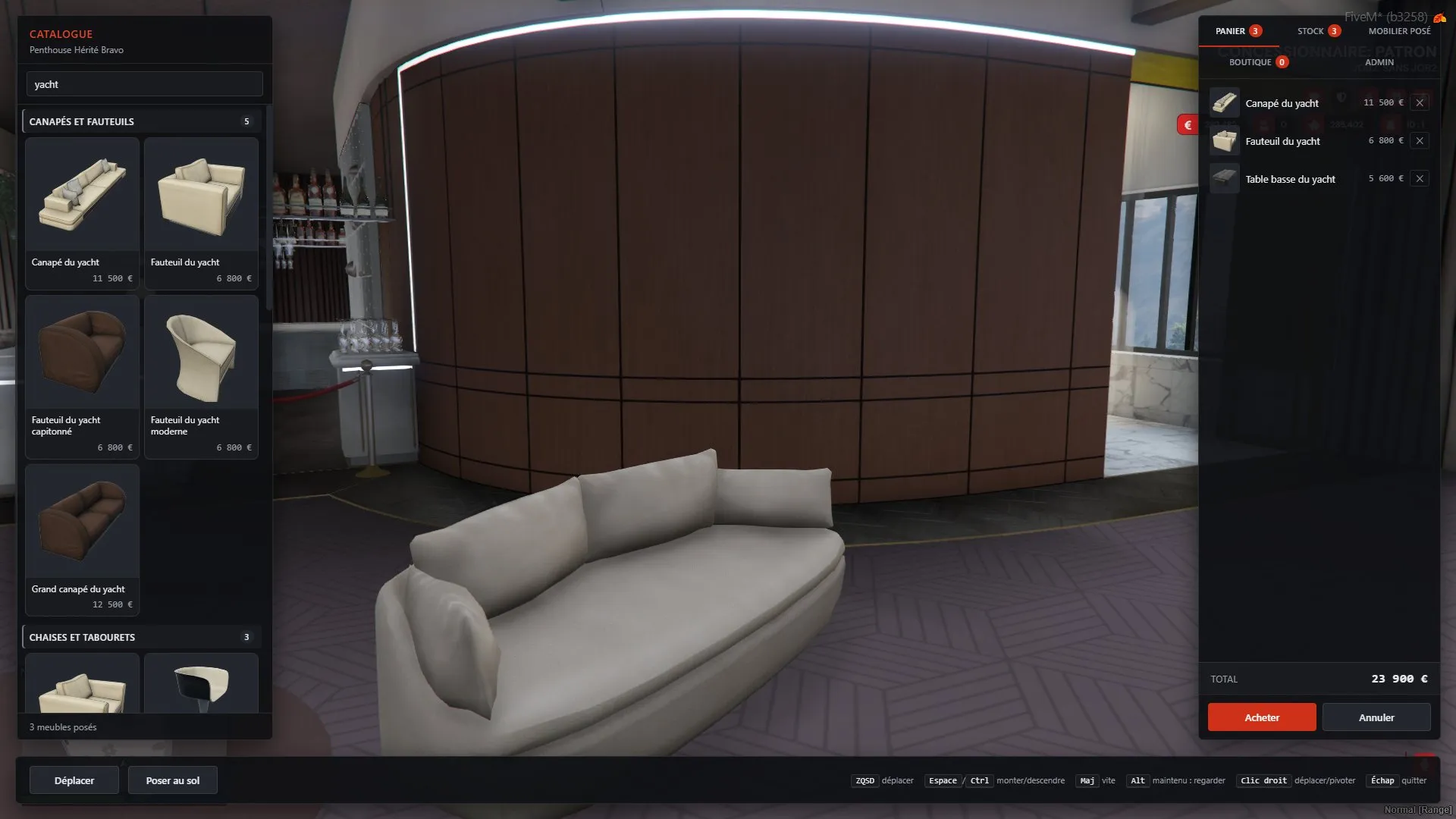
- The catalogue and the shop are card grids with pictures shot in game: each prop was captured twice, with and without it in frame, and the difference kept as a transparent PNG (240 of the 244 models).
-
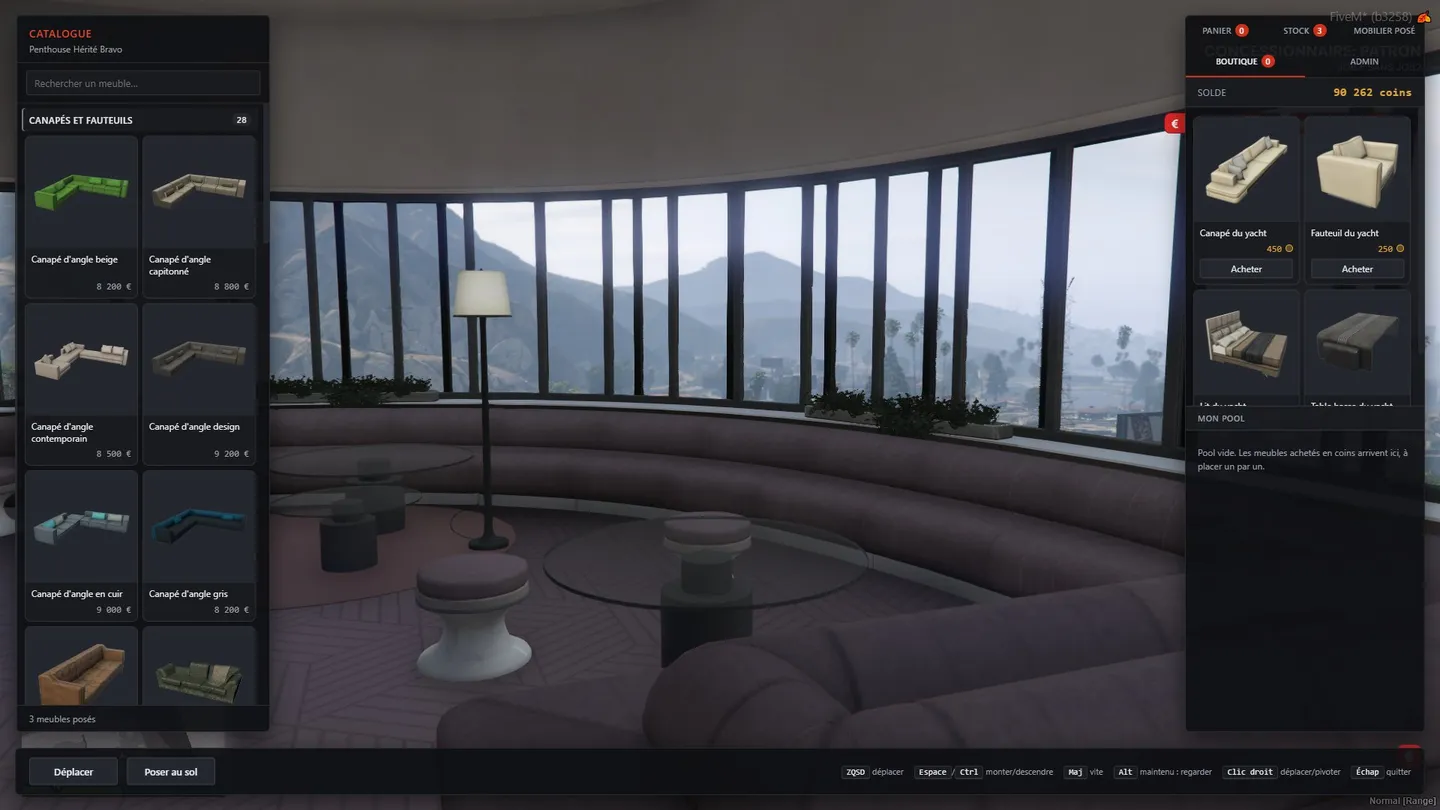
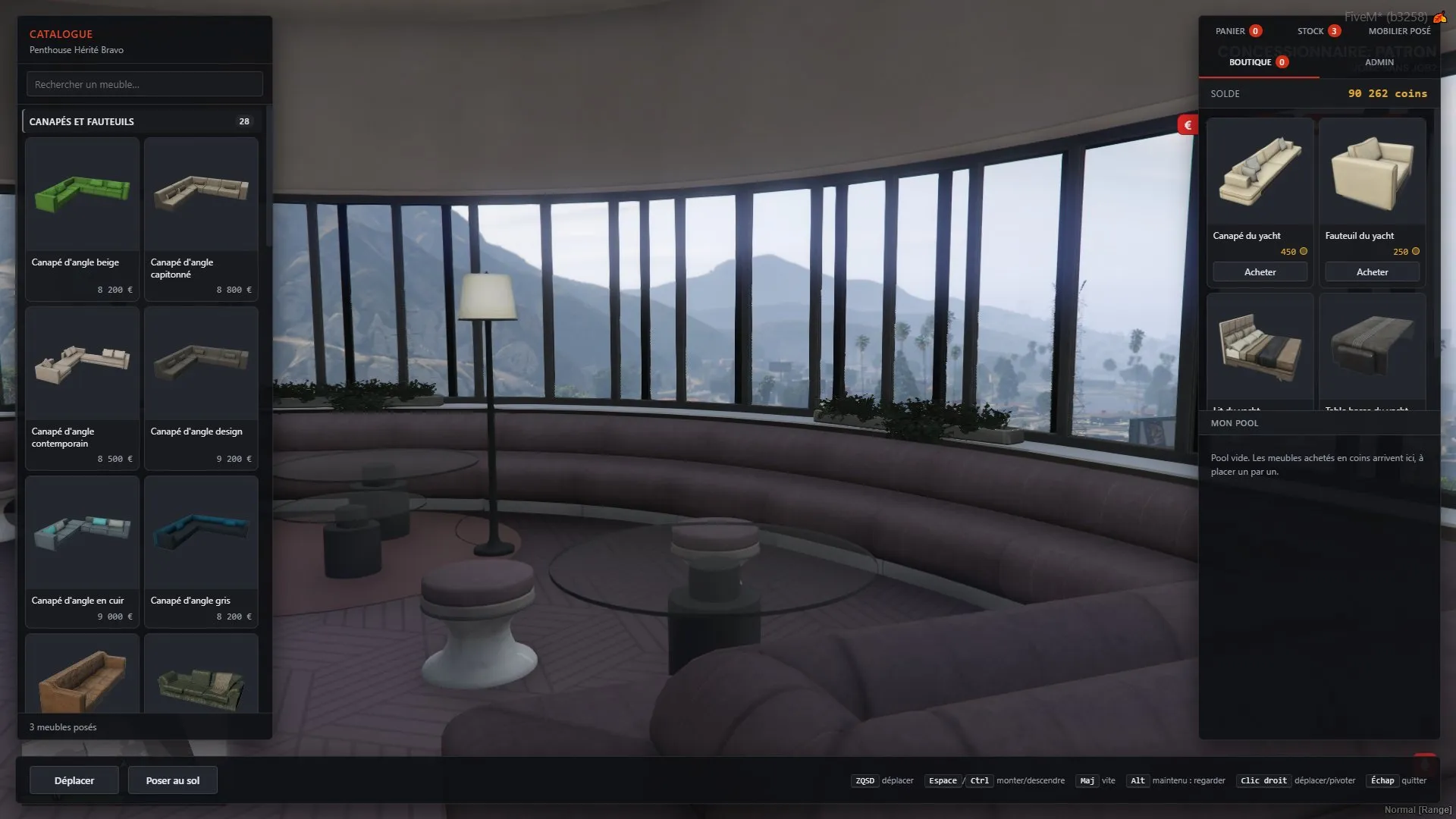
The coin shop tab: prices in coins, the player's balance, and the pool where coin purchases wait to be placed (empty here) 2 / 6 02 — The coin shop
Pieces priced in coins
- Pieces can also be priced in the server's premium coins. The debit is a single conditional UPDATE, and the piece goes into a personal pool that follows the player to any property they can furnish.
- A coin-only piece has no cash price, so coins can't be turned into money by selling it back.
- Cash pieces go into the property's stock; place them one at a time, store them again for free or sell them back at 50% of the catalogue price.
-
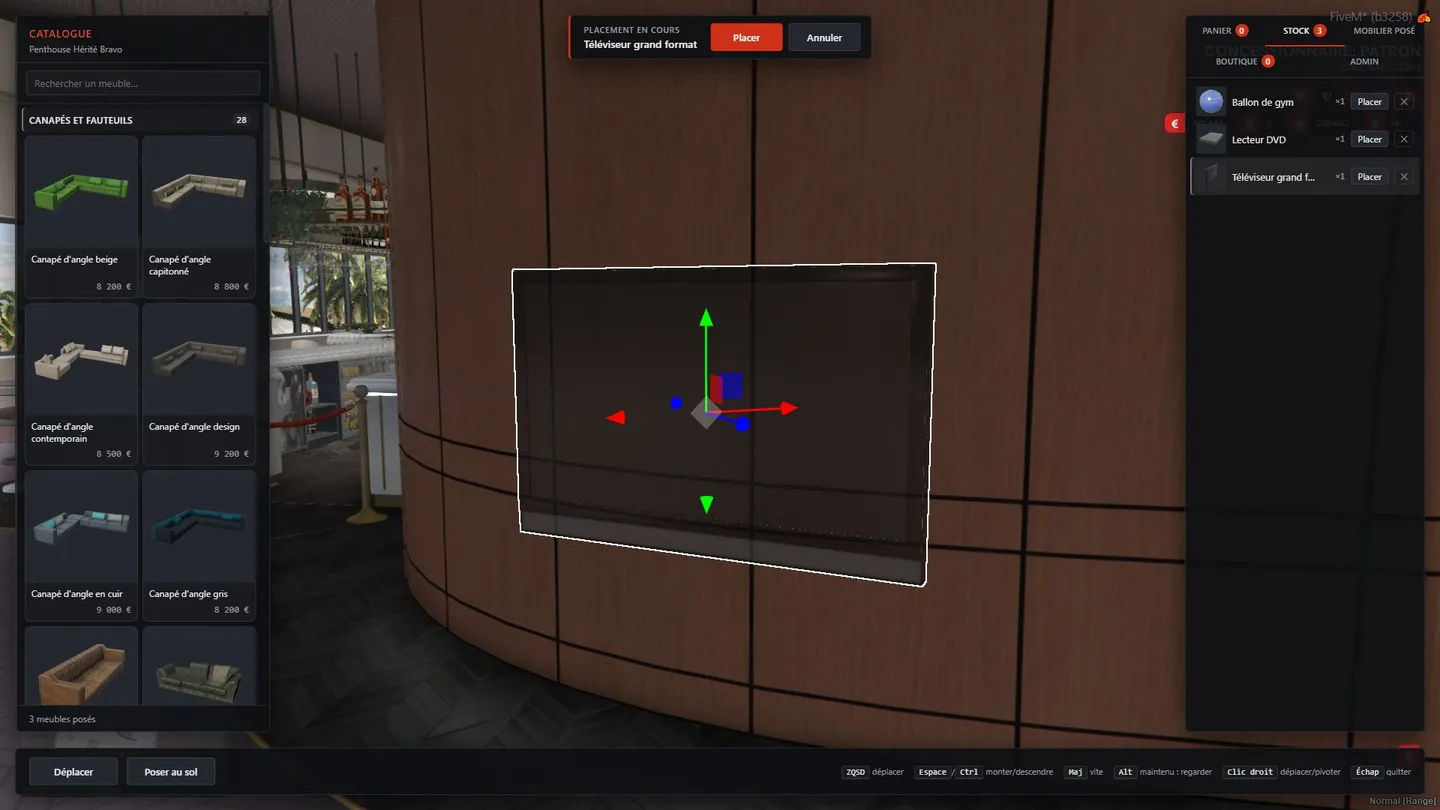
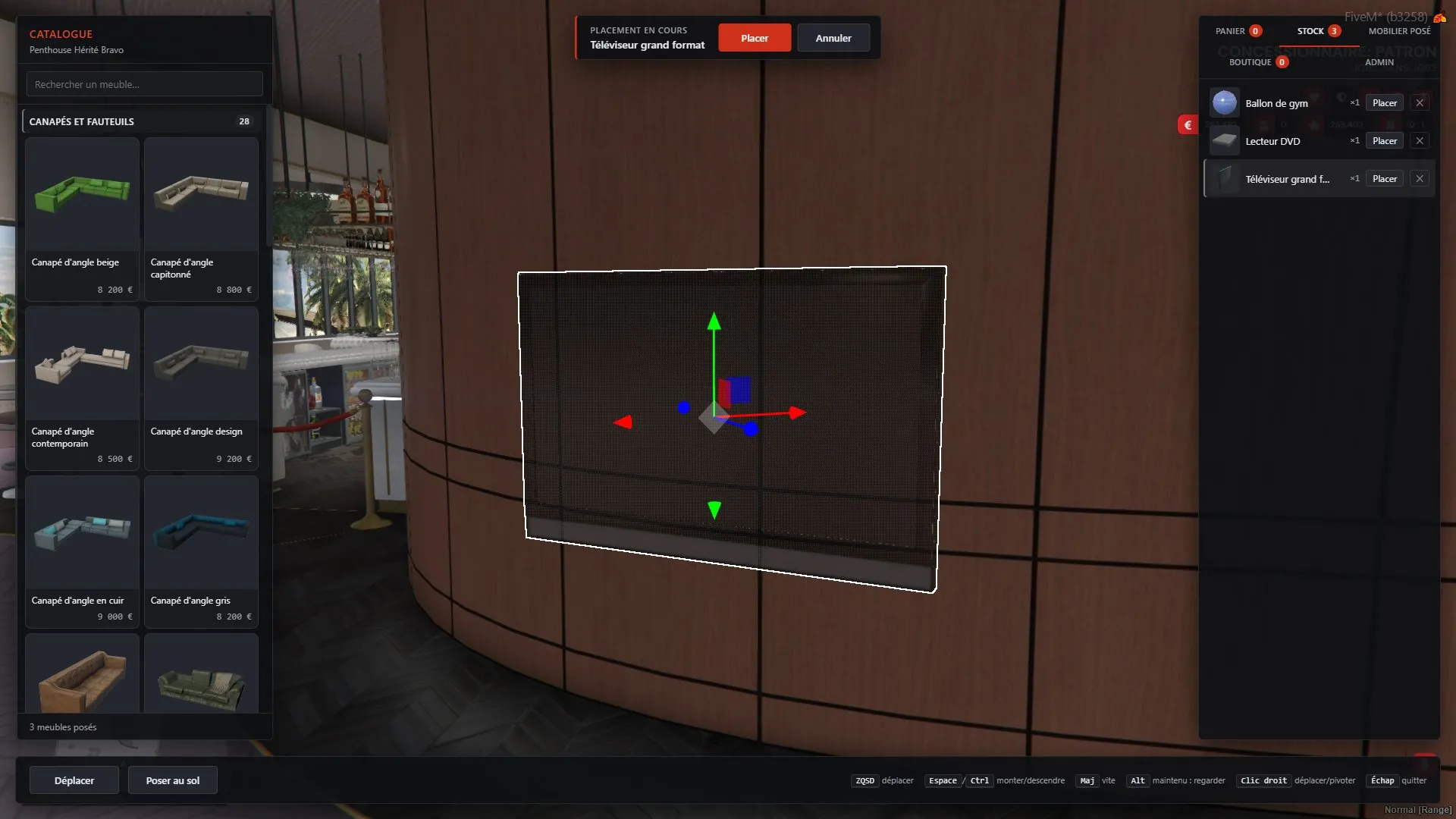
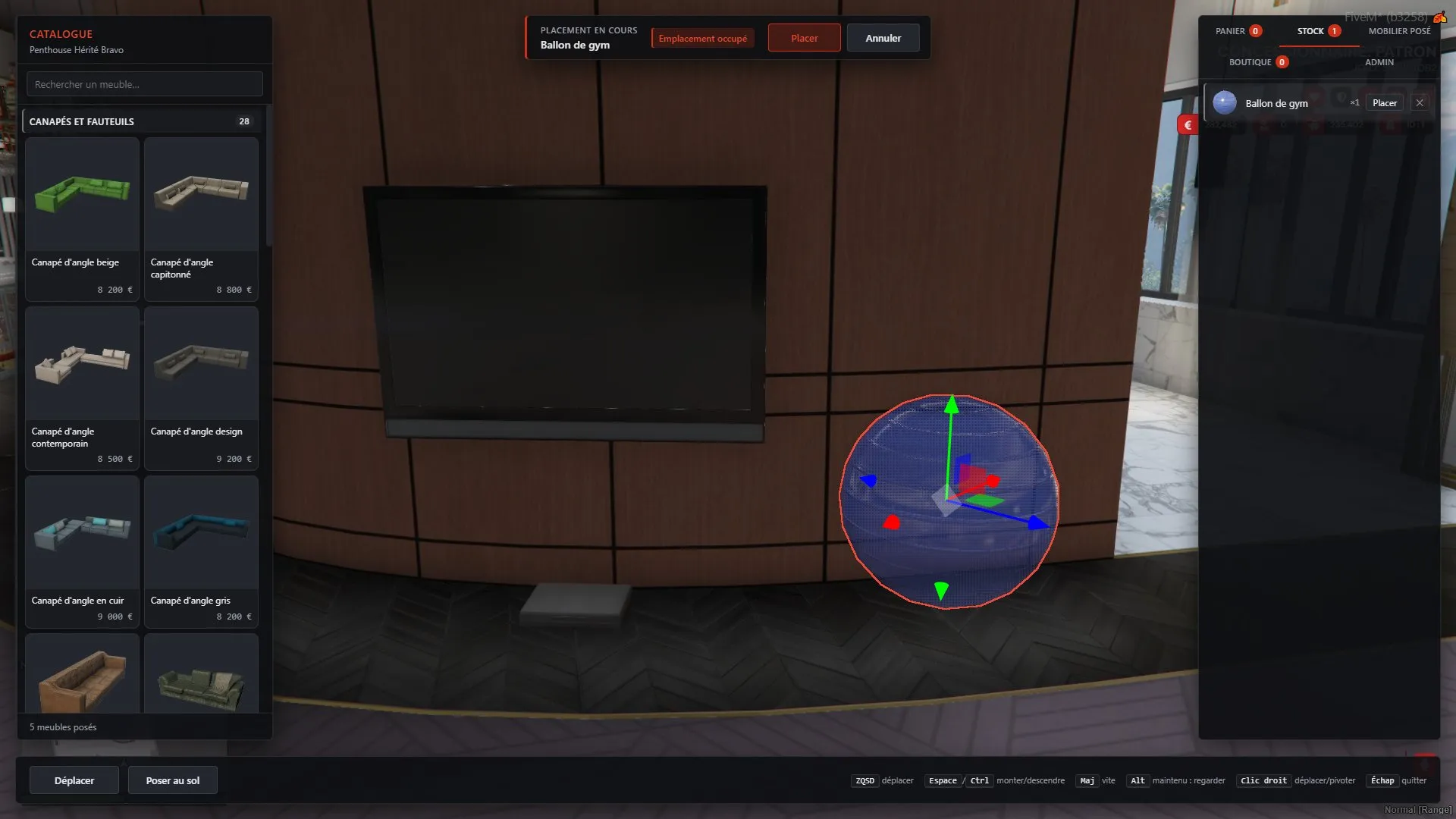
Placing a piece from stock: the ghost follows the gizmo until you press Place 4 / 6 03 — The editor
A gizmo inside CEF, with guards
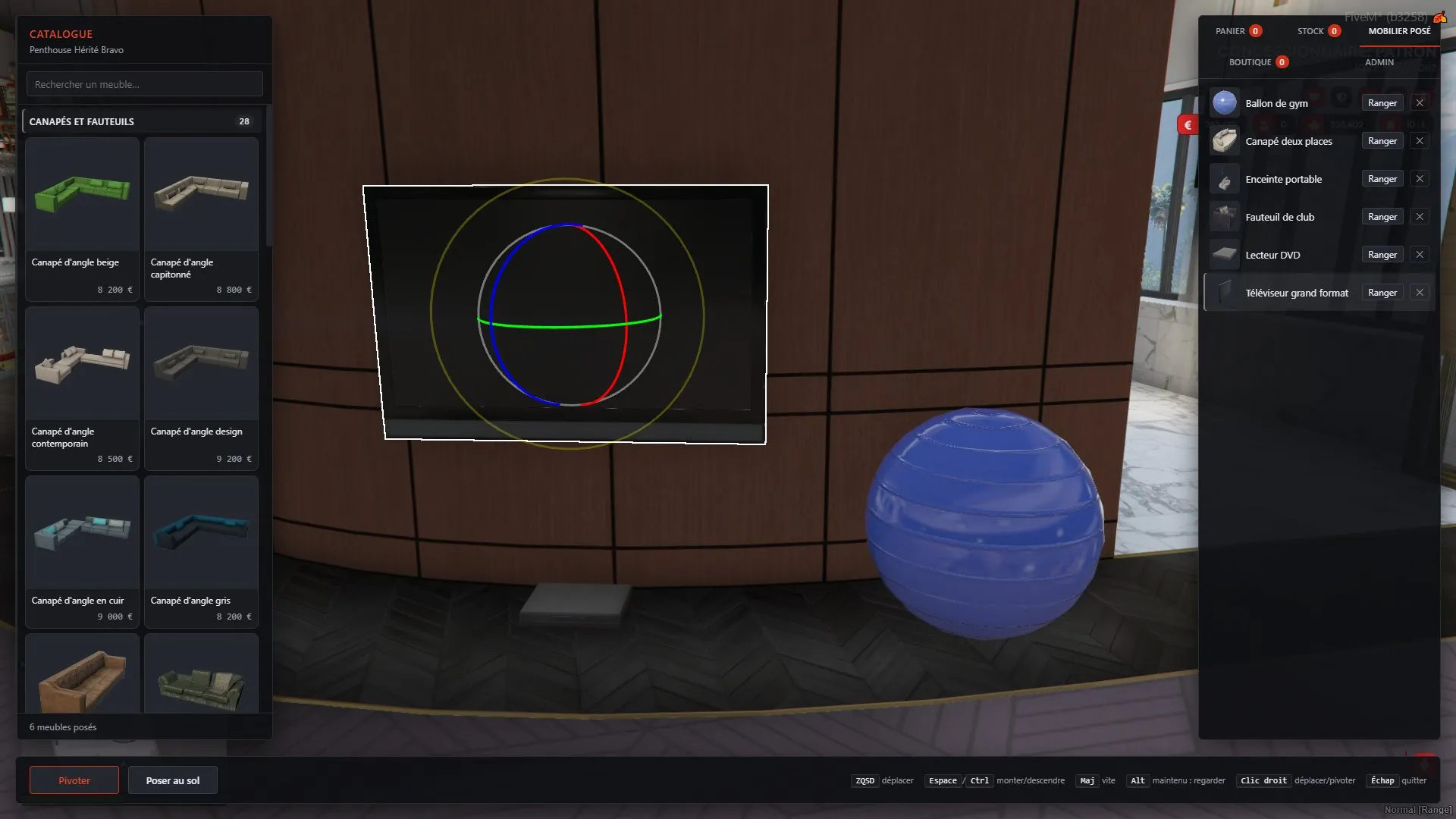
- Move and rotate gizmo done with Three.js TransformControls in the NUI, snapping to 1 cm and 1°, with a collision probe that turns the piece red when it cuts into a wall or another piece, and a ground snap that works inside MLO interiors.
- Placement zones per interior, measured in game: the server refuses any place or move outside the apartment, so a modified client can't put furniture outside it. In the editor the piece turns red and Place locks.
- Free camera that can't stray more than 3 m outside the apartment, with the player hidden while the editor is open so the character never blocks the view.
Under the hood
What keeps it solid
Server
- Every buy, place, move, store and sale is checked on the server: rights, being inside the property, and a cap on placed pieces (30 to 150 depending on VIP level).
- Each transfer claims the piece with a single row DELETE, so a doubled event can't duplicate it or pay twice.
- Four tables (furniture, stock, the catalogue and the coin-furniture pool), shipped as three SQL migrations.
Editor
- The editor keeps the keyboard to itself while you type and checks that the page answers every time it opens.
- Staff get a WebGL probe command, since the whole editor depends on WebGL working inside CEF.
Tech
Tech and package
- Client scriptsfurniture + editor
- Furniture NUIeditor + model pictures
- Three SQL migrationspart of the real estate module
Same lane
More FiveM work
Need something like this on your server?